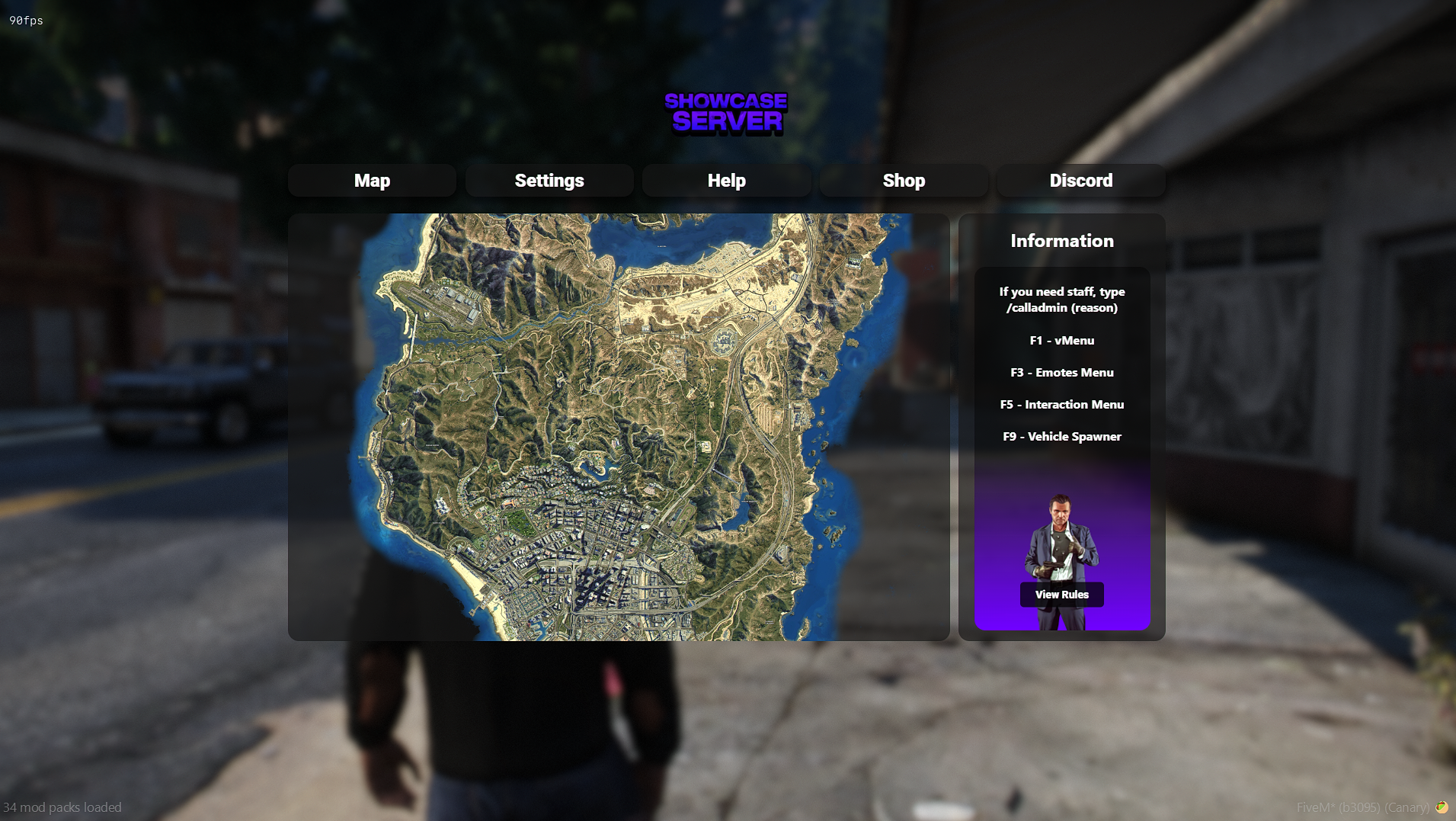






A clean and modern custom pause menu for FiveM servers, designed to replace the default GTA pause menu with a polished, branded in-game interface.
Featuring a sleek full-screen UI, custom server logo, interactive map preview, quick-access buttons, server information panel, rules button, shop link, Discord link, and direct access to useful player menus. This pause menu gives your server a more professional and player-friendly feel every time someone opens the pause menu.
Includes built-in buttons for Map, Settings, Help, Shop, Discord, and Rules, along with an information section for keybinds and server guidance. The menu uses a smooth blurred background effect and a modern layout with clean cards, rounded panels, and clickable navigation.
Designed to improve the player experience by making important server links and actions easy to access from one simple menu.
Features:
Custom FiveM pause menu
Replaces the default ESC pause menu
Modern React-based NUI interface
Custom server logo support
Interactive map preview
Quick-access Map button
Quick-access Settings button
Help button support
Shop / Tebex button
Discord button
Rules button
Server information panel
Keybind information section
Background image support
Screen blur effect when opened
Clean rounded UI panels
Player-friendly navigation
Easy resource installation
Built-in Buttons:
Map
Settings
Help
Shop
Discord
View Rules
Information Section Includes:
Staff help command
vMenu keybind
Emotes menu keybind
Interaction menu keybind
Vehicle spawner keybind
Requirements:
FiveM server access
Basic resource installation
Optional guidebook resource support for the Help button
Controls:
Press ESC / Pause Menu key to open the custom pause menu.
Configuration:
Logo, background image, shop link, Discord link, rules link, information text, colors, buttons, and UI assets can be edited through the included files.
Installation:
Drag and drop the resource into your server resources folder, ensure it in your server.cfg, and restart your server.
Documentation is included in the files.
For support or questions, please open a ticket.
Our support team is available 24/7 on Discord to assist you with any questions.
Join Discord 24/7 Community SupportYour purchase is delivered automatically right after checkout. No waiting.
All transactions are processed through Tebex with enterprise-grade encryption.
Get all future updates and improvements included with your purchase at no extra cost.

Gift Pause Menu and have it sent directly to their CFX.re account, so you don't have to transfer it after purchase.
