





TAGS: POPULAR
Upgrade your FiveM server with a modern, powerful staff management panel built for serious roleplay communities. UnityLabs Staff Panel gives your moderation team a clean custom NUI interface for player management, punishments, Discord role permissions, staff calls, logging, bans, screenshots, spectating, and server cleanup tools.
Designed for RP servers that want smoother staff workflows, this resource brings essential admin actions into one polished panel with role-based access, punishment history, staff clock-in tracking, Discord webhook logs, and configurable moderation tools.
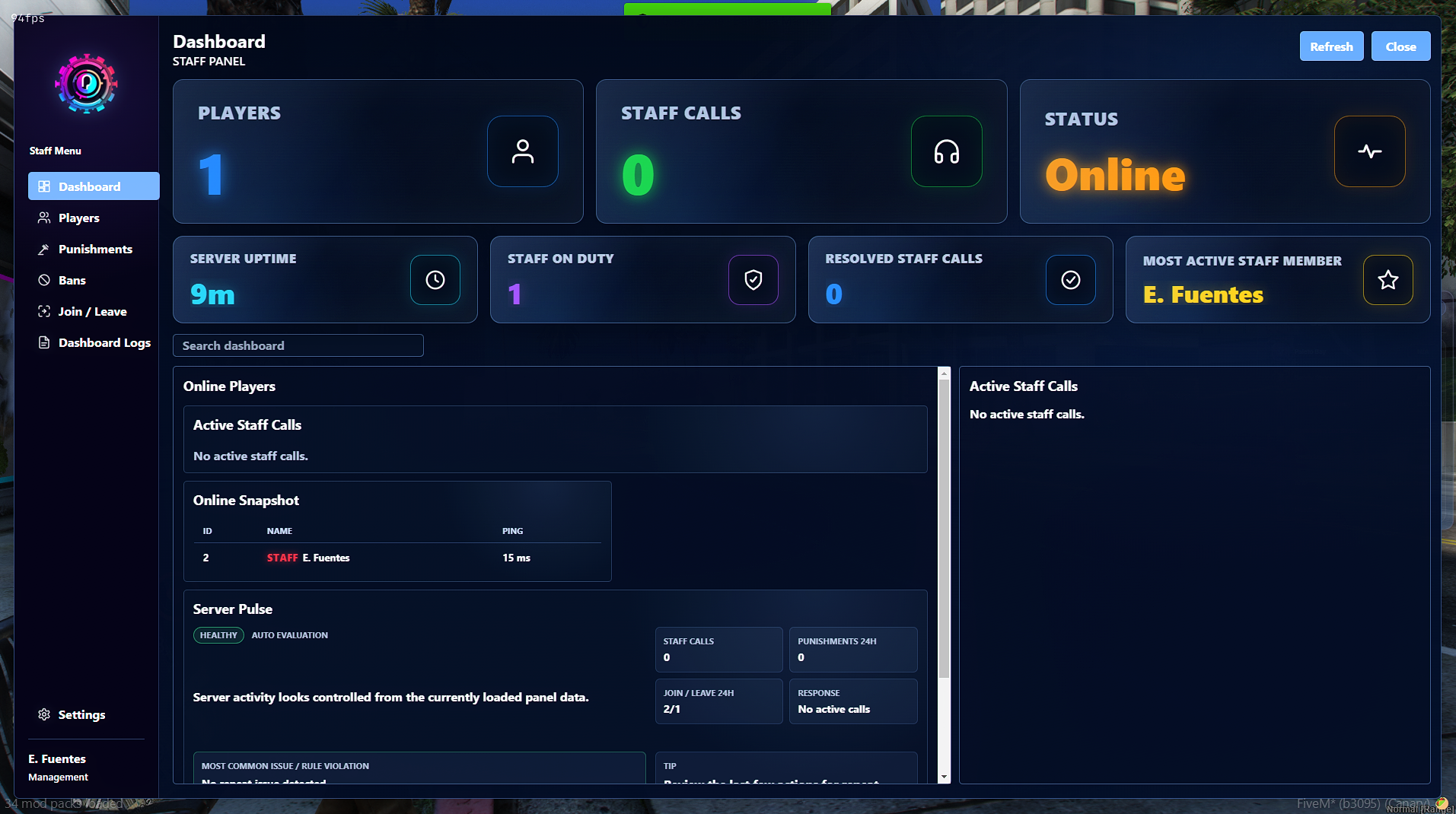
Modern Staff Panel UI
A polished custom NUI panel with dashboard stats, player search, staff call tracking, punishment tools, ban management, logs, settings, and quick actions.
Discord Role-Based Staff Permissions
Control staff access through Discord role IDs instead of relying only on ACE permissions. Configure separate ranks such as Trial Moderator, Moderator, Admin, Management, or your own custom role structure.
Staff Clock-In System
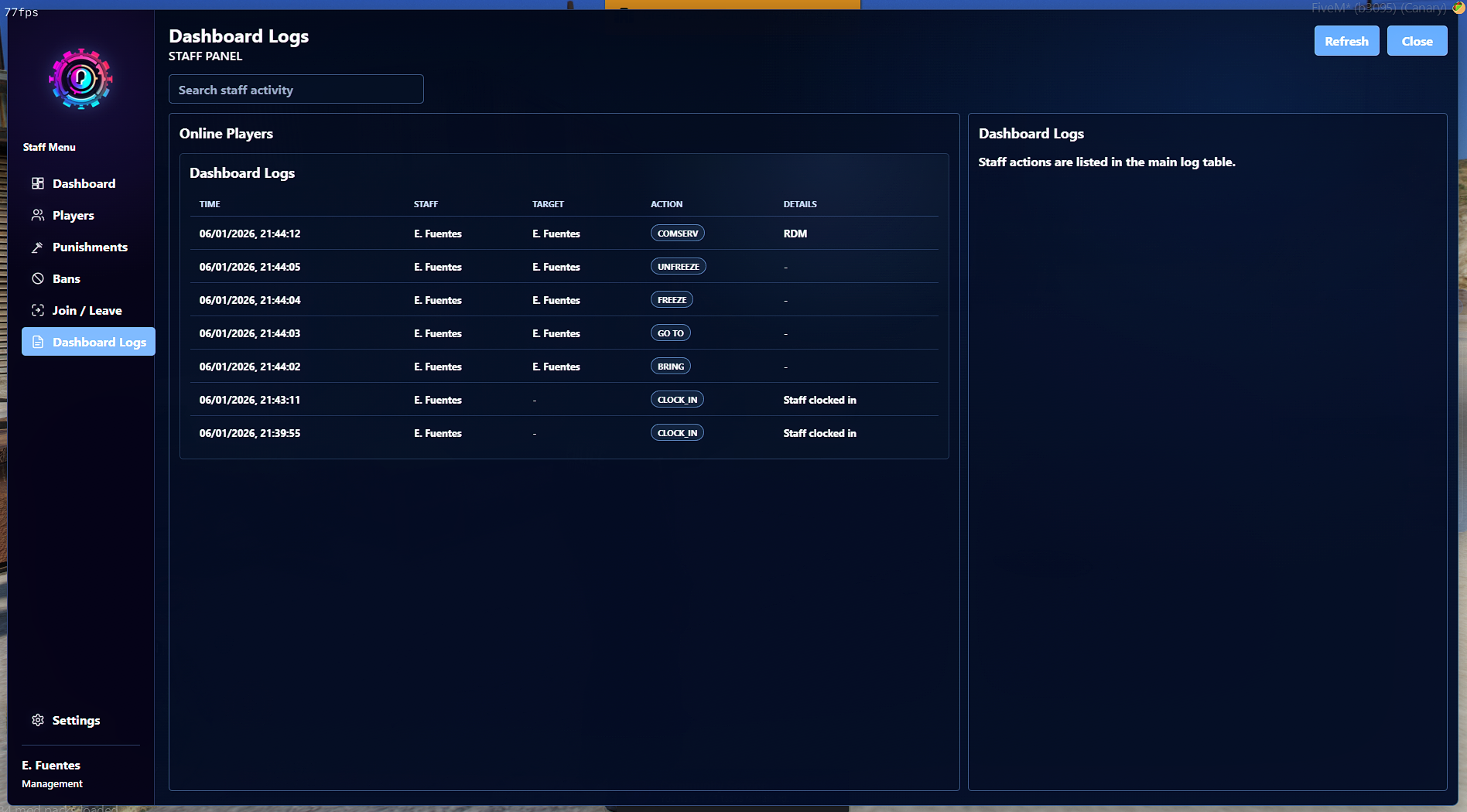
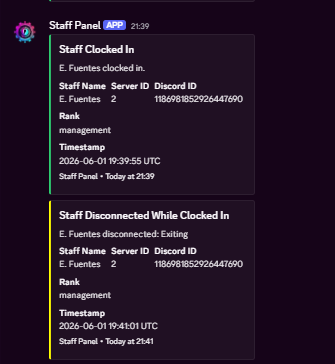
Staff can clock in and clock out, allowing management to track active staff members and monitor who is currently handling moderation duties.
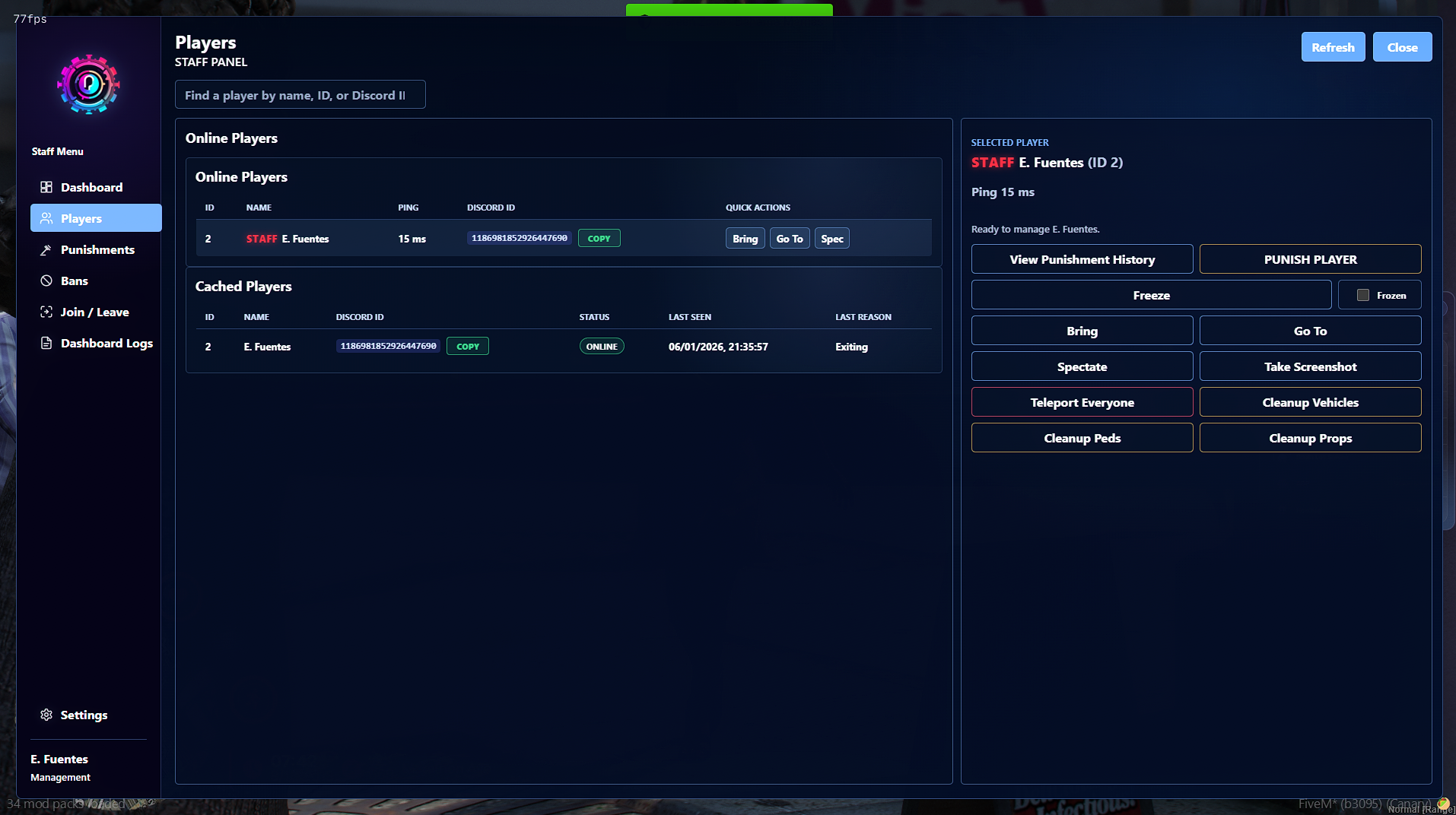
Player Management Tools
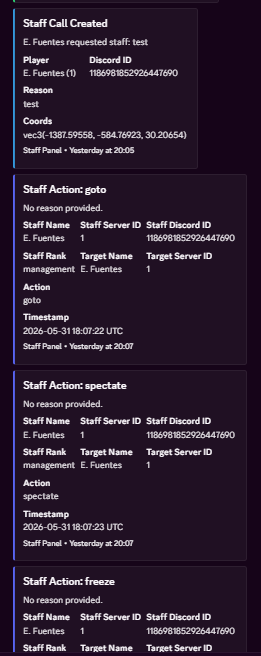
Includes common staff actions such as bring, go to, spectate, freeze, unfreeze, revive, screenshot requests, and player lookup from one central interface.
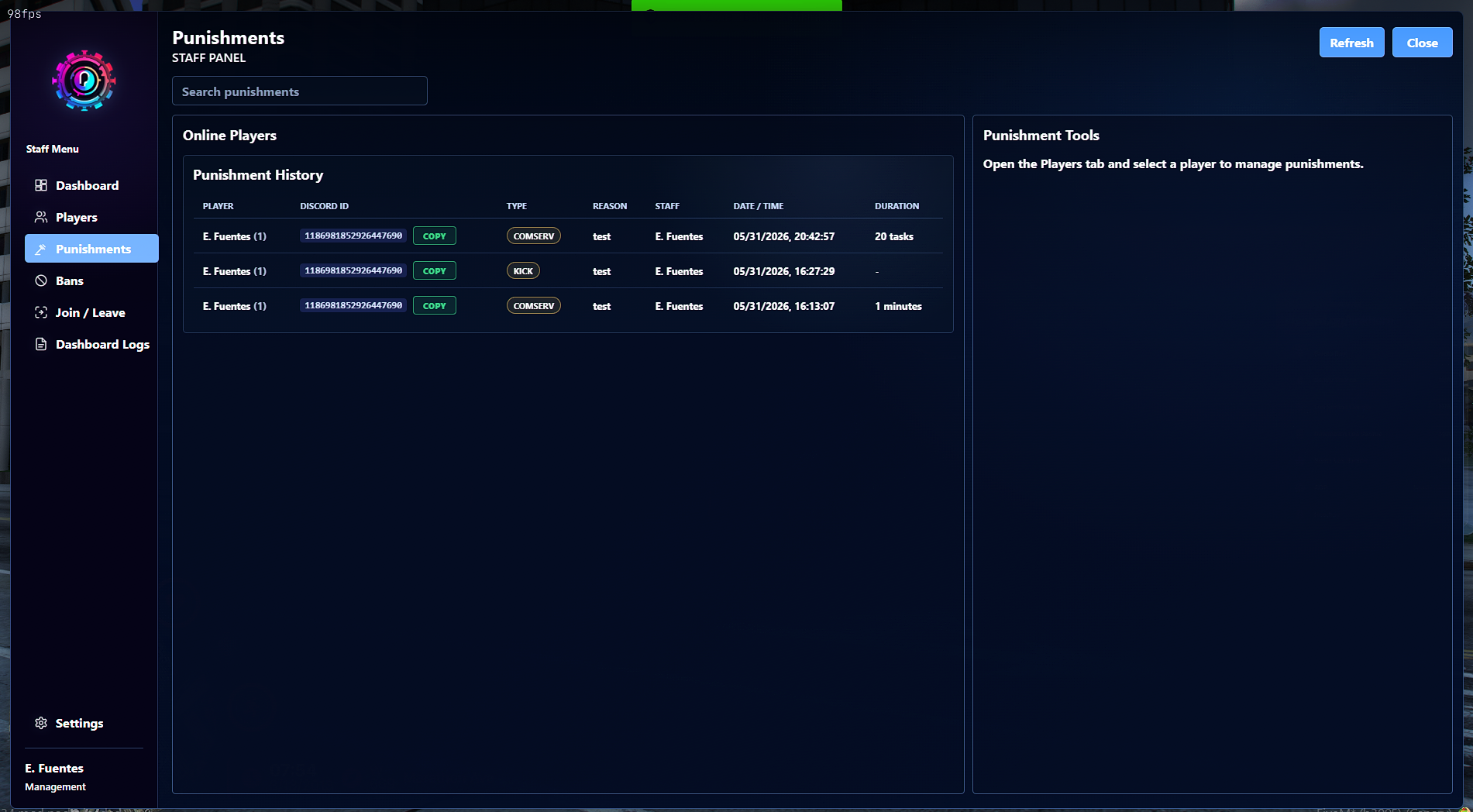
Punishment System
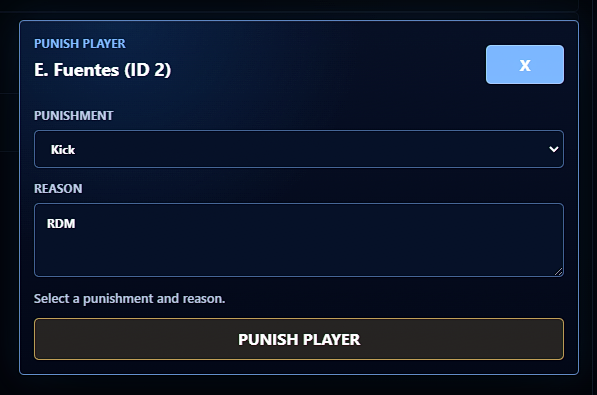
Warn, jail, kick, temp ban, and permanently ban players directly from the panel with required reasons, durations, and logged punishment records.
Preset Punishment List
Create configurable offense presets such as RDM, VDM, Fail RP, Combat Logging, Powergaming, Metagaming, Exploiting, and more. Presets can auto-fill punishment type, reason, duration, and escalation steps.
Auto-Escalating Punishments
Preset punishments can escalate based on prior offenses, helping staff apply consistent punishment steps across your community.
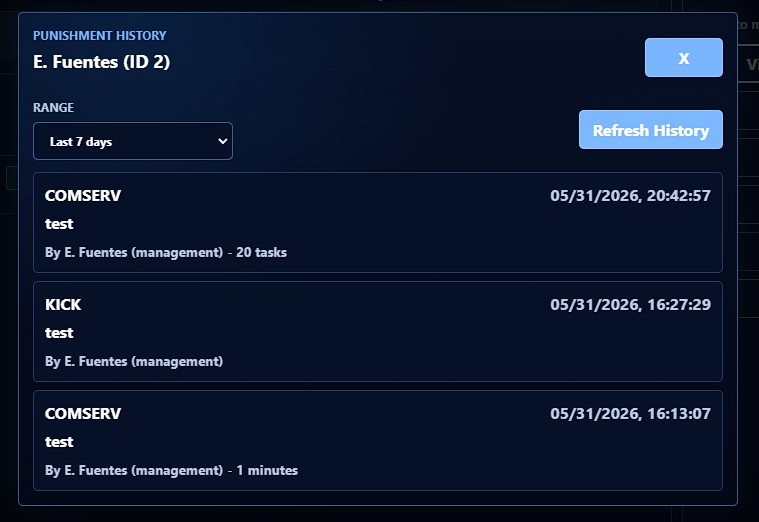
Punishment History
View recent punishment history for players, including configurable history ranges such as 7, 14, and 30 days.
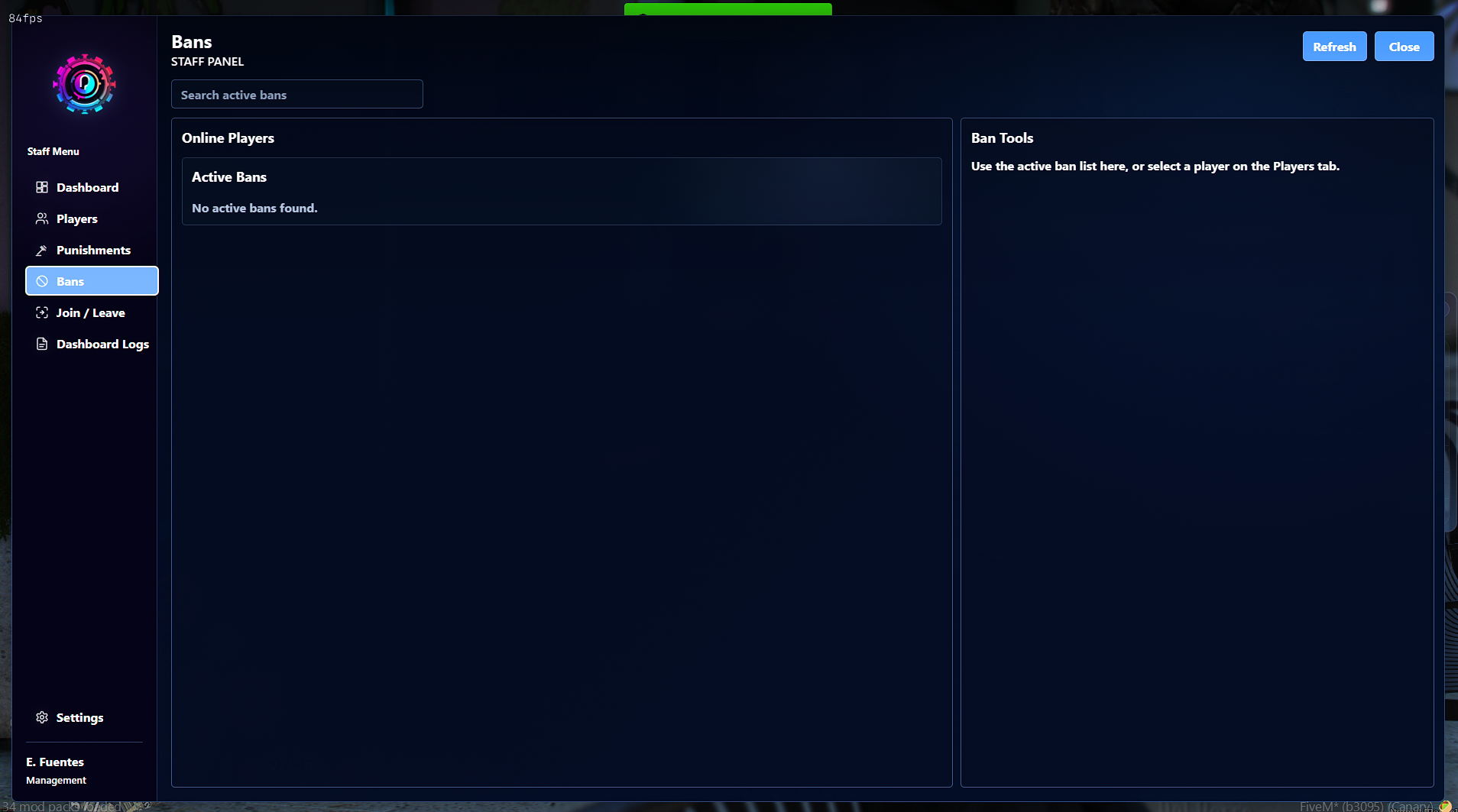
Ban Management System
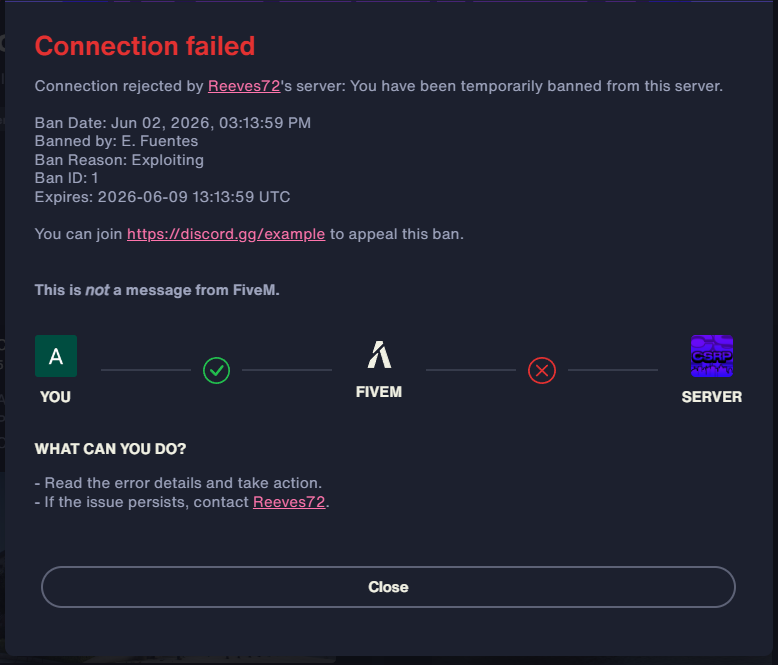
Includes Discord-based temp bans, permanent bans, ban IDs, ban appeal message support, expiration handling, and an in-game unban command.
Offline Punishments
Punish cached offline players using their Discord ID. Supports offline temp bans, permanent bans, and offline jail or community service queues.
Staff Call System
Players can request staff using a configurable command. Staff can view active calls, claim them, resolve them, and track stale or unanswered requests directly from the panel.
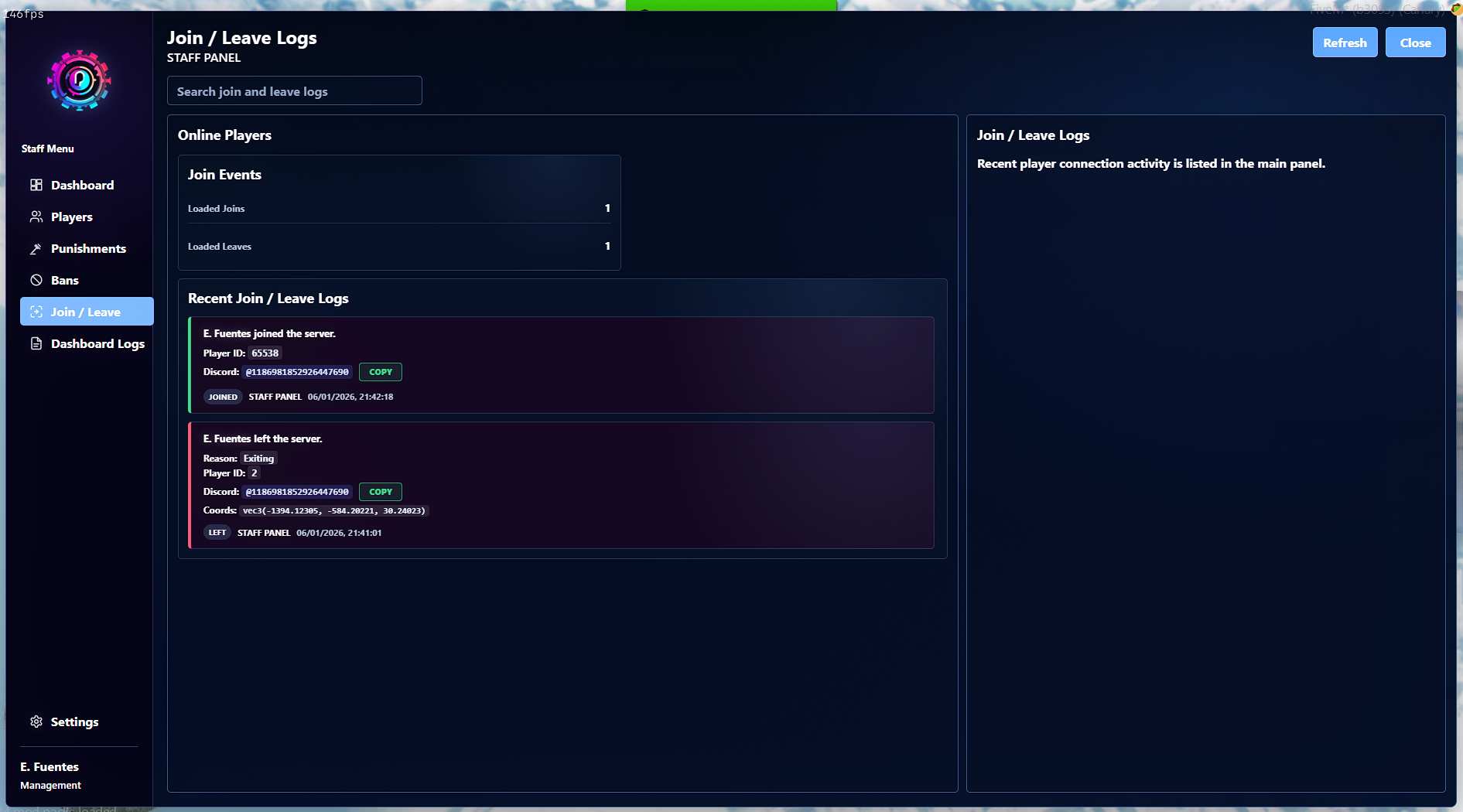
Join / Leave Logs
Track player joins and leaves from inside the staff panel, with optional postal support when using UnityLabs HUD postals.
Discord Webhook Logs
Separate webhook routes are supported for staff clocking, actions, punishments, bans, kicks, and suspicious activity alerts.
Suspicious Activity Alerts
Detect and log staff members performing too many sensitive actions in a short time window, such as excessive bans, kicks, freezes, revives, screenshots, teleports, or cleanup actions.
Server Cleanup Tools
Staff with permission can clean up vehicles, peds, and props within a configurable radius or globally depending on your settings.
Teleport Everyone Tool
A protected management-level tool for bringing all players to staff when needed for events, emergencies, or administrative situations.
Screenshot Support
Optional screenshot-basic integration allows authorized staff to request player screenshots through a configured upload endpoint.
Spectate Support
Staff can spectate players directly from the panel, with routing bucket handling for servers using instances or dimensions.
Community Service Support
Optional UnityLabs_ComServ integration allows the panel to replace jail actions with community service tasks.
Highly Configurable
Customize role permissions, staff ranks, panel keybind, logo, staff call command, cooldowns, jail locations, release locations, webhooks, max punishment durations, cached player limits, punishment presets, cleanup radius, and more.
ox_lib
screenshot-basic for screenshot requests
UnityLabs_ComServ for community service integration
UnityLabs_HUD for postal support in join / leave logs
/staffpanel
/clockin
/clockout
/staffroles
/callstaff
/unban
The staff panel can also be opened with the configured keybind, defaulted to F7.
Serious RP servers
Staff-heavy communities
Servers needing Discord role-based admin permissions
Communities wanting punishment history and staff accountability
Servers needing a polished replacement for basic admin menus
Management teams that want logs, staff calls, bans, and player tools in one panel
Drag and drop the resource into your server resources folder, ensure ox_lib is started first, configure your Discord guild ID, bot token, role IDs, staff permissions, webhook URLs, punishment presets, and optional integrations, then add the resource to your server.cfg.
UnityLabs Staff Panel gives your staff team a cleaner, faster, and more professional way to manage players, handle reports, issue punishments, track staff activity, and keep your roleplay community running smoothly.
NOTE: The spectating and screenshot feature have not been fully tested.
Our support team is available 24/7 on Discord to assist you with any questions.
Join Discord 24/7 Community SupportYour purchase is delivered automatically right after checkout. No waiting.
All transactions are processed through Tebex with enterprise-grade encryption.
Get all future updates and improvements included with your purchase at no extra cost.

Gift Staff Panel and have it sent directly to their CFX.re account, so you don't have to transfer it after purchase.
